
 AI Models
This article introduces AI model integration in Zadig. Supported providers include OpenAI, Azure, Azure AD, DeepSeek, SiliconFlow, Volcengine Ark, Aliyun Bailian, and Huawei Cloud ModelArts Studio.
After a model is integrated, it can be used in the following scenarios:
- AI Efficiency Diagnostics: Analyze build, deploy, and test efficiency data to identify bottlenecks and recommend improvements
- AI Environment Inspection: Check Kubernetes environment health, identify common issues, and provide remediation guidance
- AI Code Review: Review code changes, identify defects and risks, and write results back to the MR comment section
- AI Release Specialist: Analyze release risk based on change and release context, and output conclusions and recommendations
- AI Task: Connect to an AI model and automatically execute intelligent tasks based on the prompt
# Add an AI Model
Go to System Settings → Integrations → AI Models, select a provider, and fill in the model information.
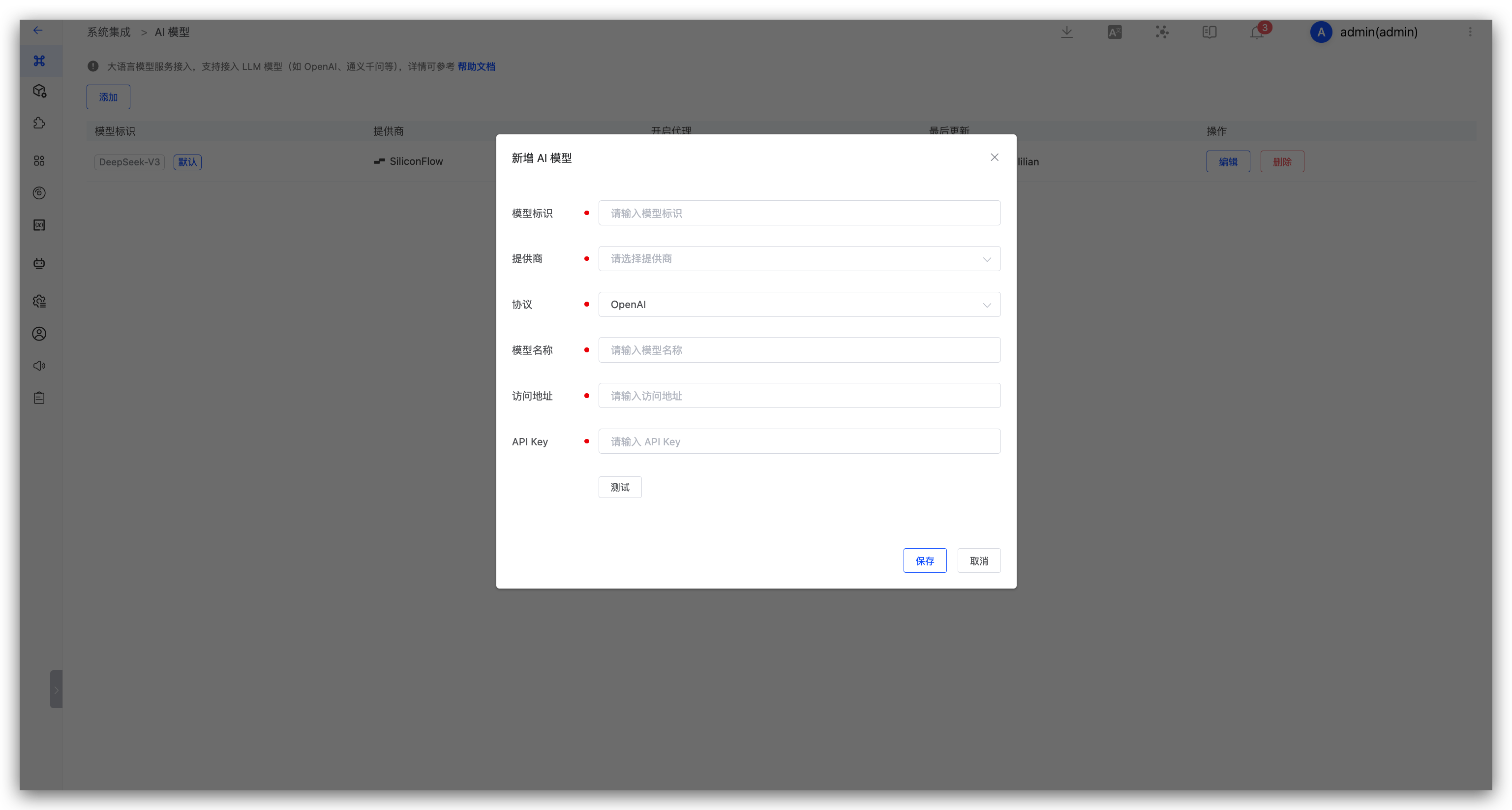
Parameter description:
Model ID: The identifier used to recognize the model in Zadig.Provider: Select the model provider.Protocol: OpenAI and Anthropic protocols are supported.Model Name: The model name on the provider side.Address: The API address of the model service.API Key: The key used to access the model service.
Tip
After integrating multiple models, you can set one of them as the default. AI Efficiency Diagnostics, AI Environment Inspection, and AI Release Specialist use the default model.
The following examples show how to obtain an API Key and address from common providers.
# DeepSeek
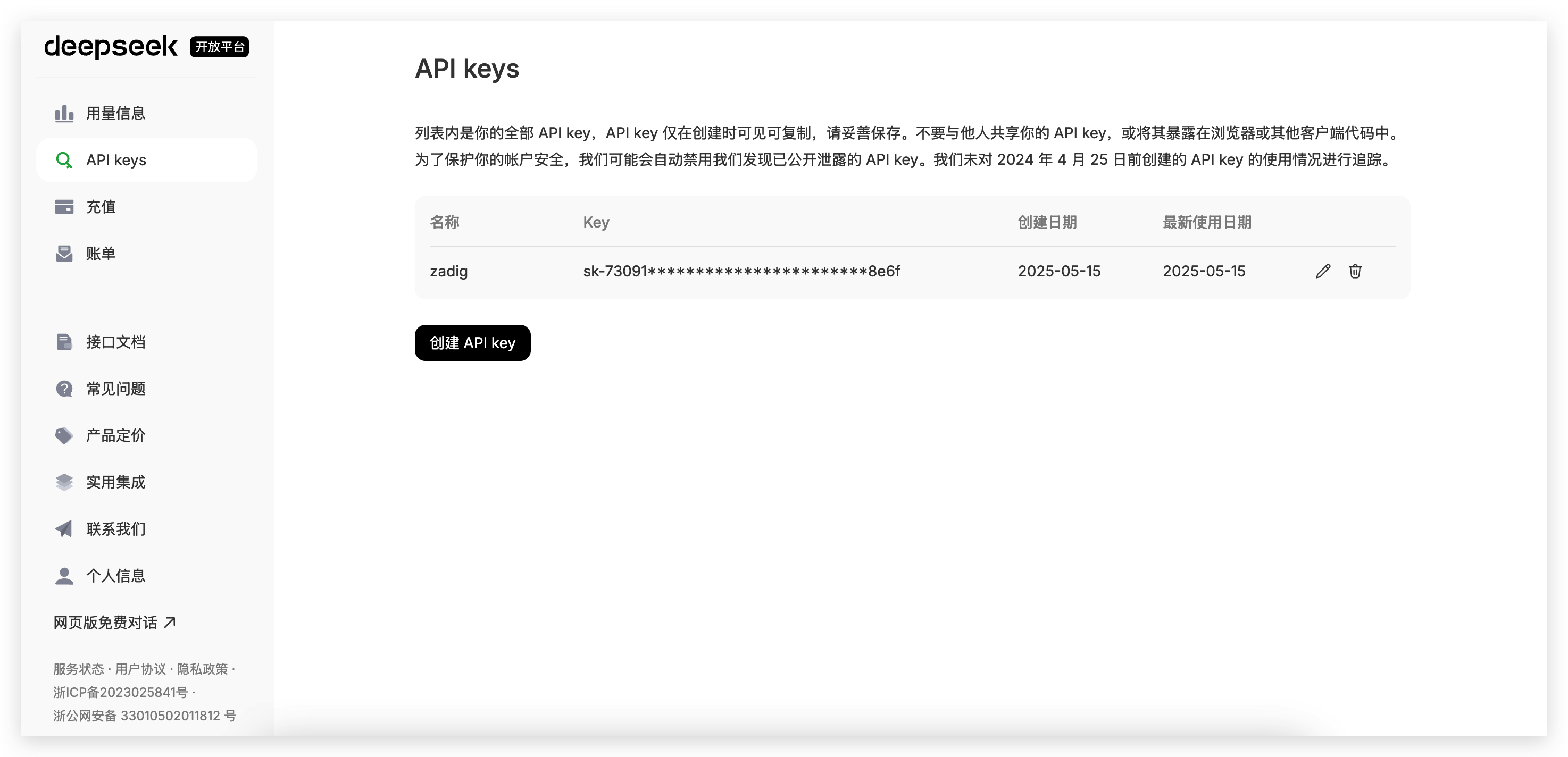
- Complete registration on DeepSeek, generate API Key(opens new window), create a new API Key, and copy it.
- In Zadig, go to
System Settings→Integrations→AI Models, and add the DeepSeek AI model.
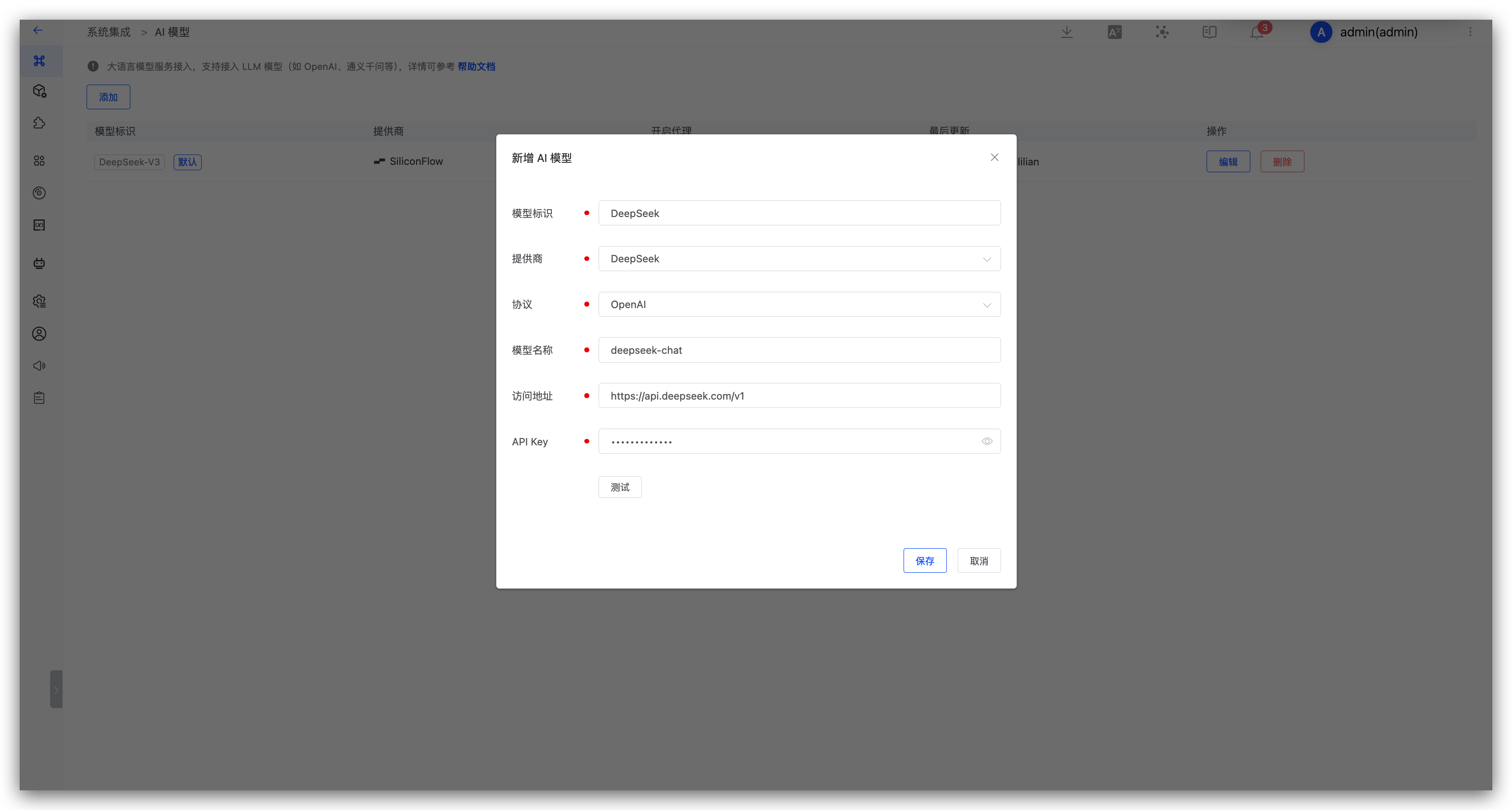
Parameter Description:
- Provider: Select DeepSeek
- Model Name: Enter the model provided by DeepSeek
- Address: https://api.deepseek.com/v1
- API Key: The API Key obtained in the previous step
# SiliconFlow
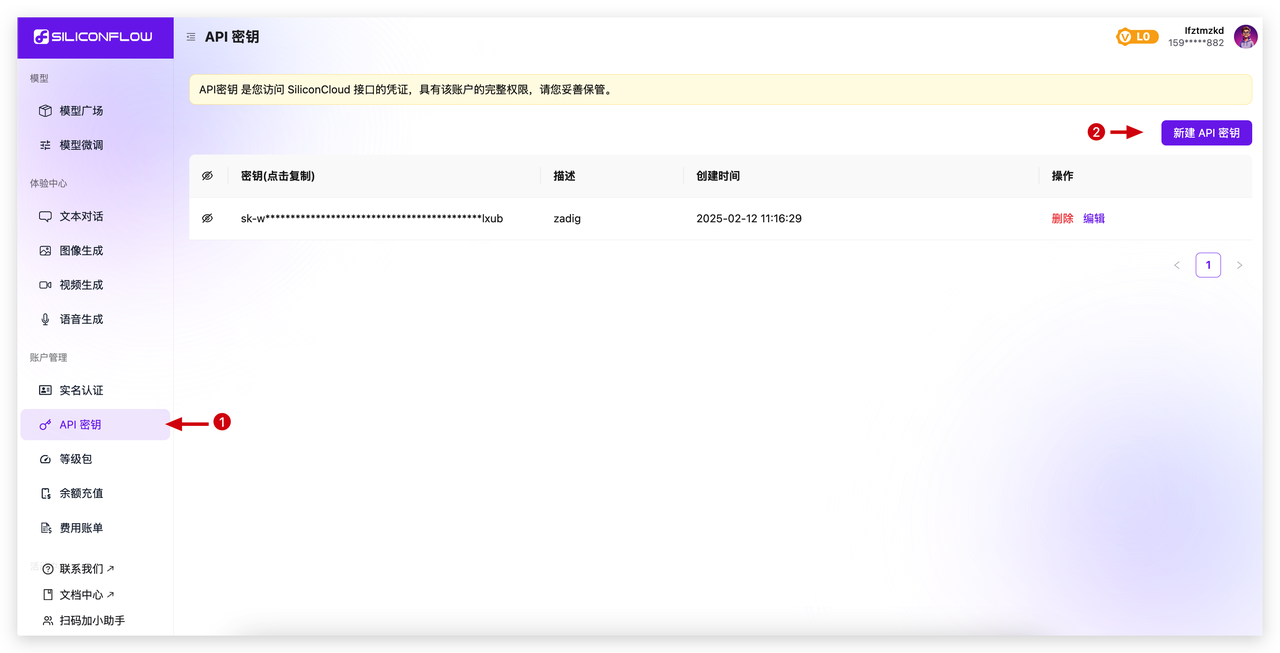
- Complete registration on SiliconFlow, generate API Key(opens new window), create a new API Key, and copy it.
- In Zadig, go to
System Settings→Integrations→AI Models, and add the AI model.
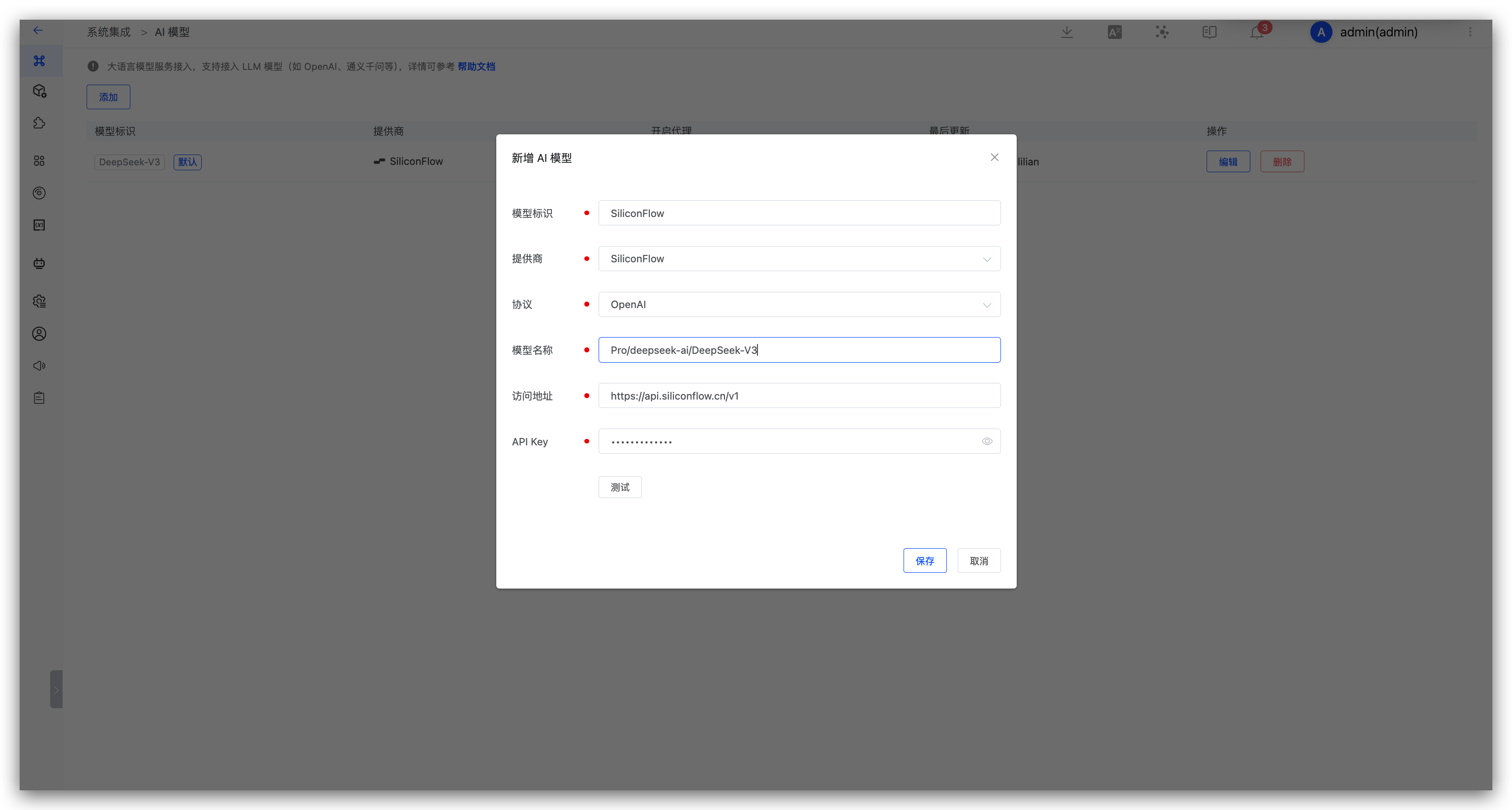
Parameter Description:
- Provider: Select SiliconFlow
- Model Name: Enter the model provided by SiliconFlow
- Address: https://api.siliconflow.cn/v1
- API Key: The API Key obtained in the previous step
# Huawei ModelArts Studio
- Complete registration on Huawei ModelArts Studio(opens new window), generate API Key, create a new API Key, and copy it.
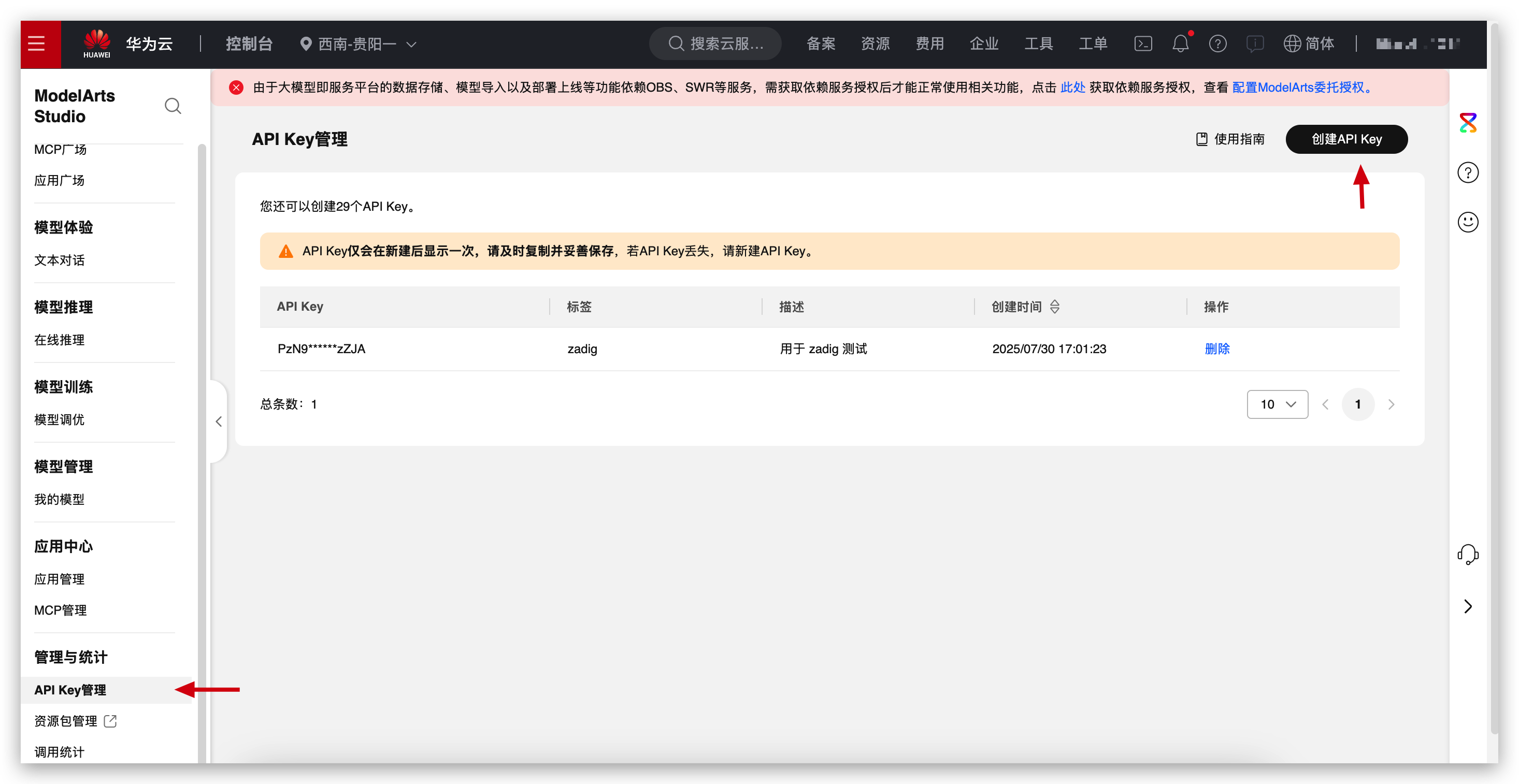
- In Zadig, go to
System Settings→Integrations→AI Models, and add the Huawei ModelArts Studio AI model.
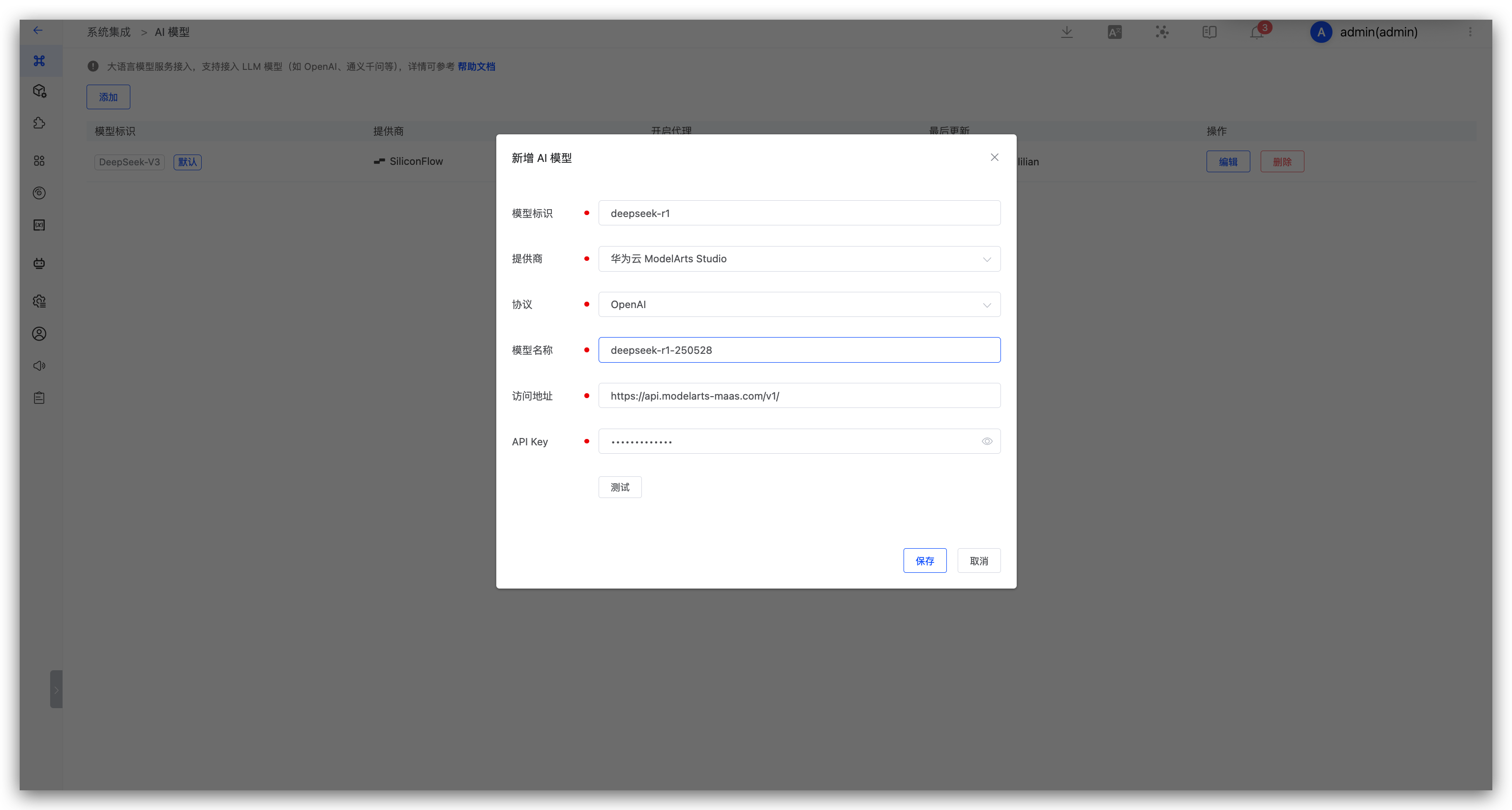
Parameter Description:
- Provider: Select Huawei ModelArts Studio
- Model Name: Enter the model provided by Huawei ModelArts Studio, such as
deepseek-r1-250528 - Address: https://api.modelarts-maas.com/v1/
- API Key: The API Key obtained in the previous step
# Volcengine Ark
- Complete registration on Volcengine Ark, generate API Key(opens new window), create a new API Key, and copy it.
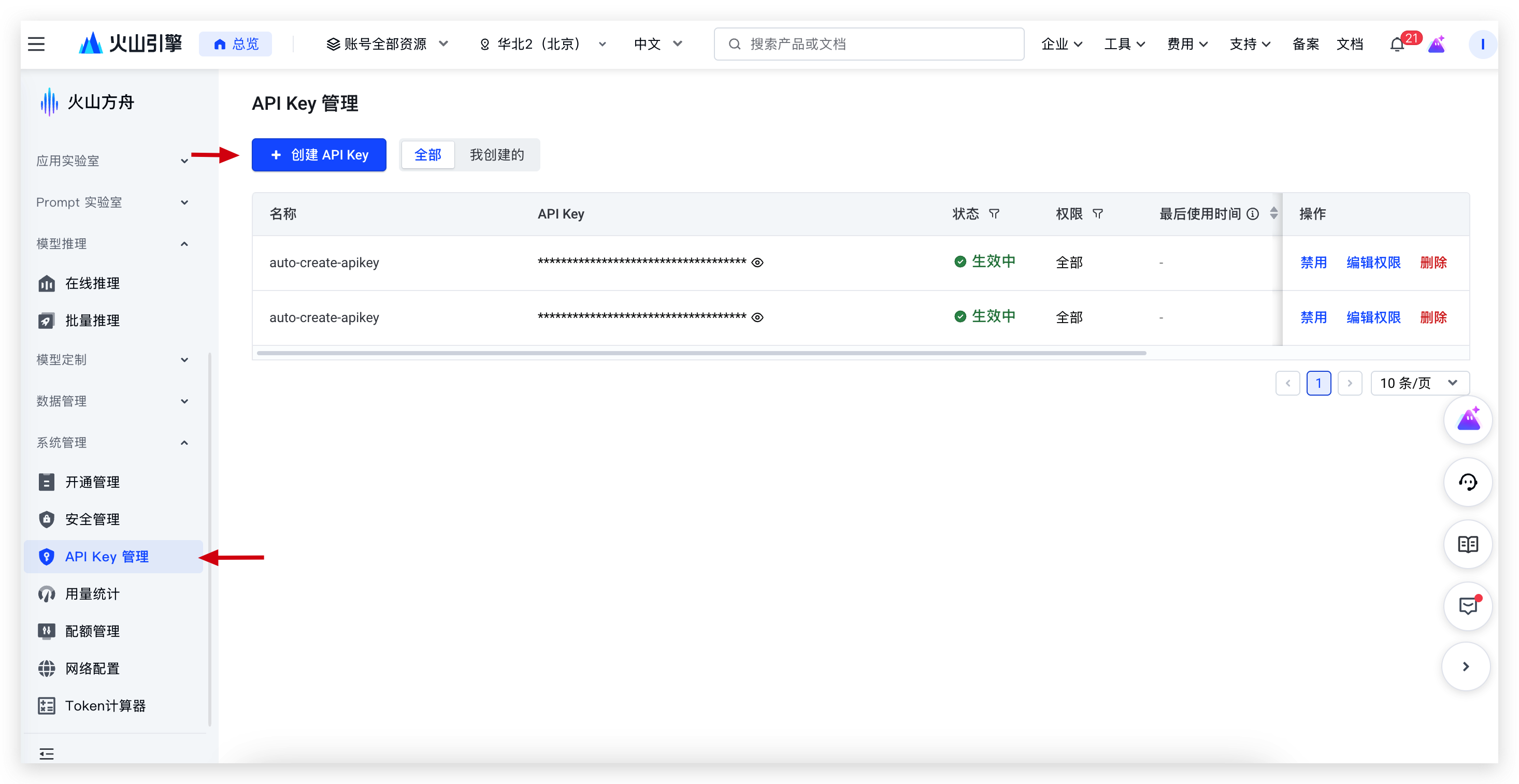
- In Zadig, go to
System Settings→Integrations→AI Models, and add the Volcengine Ark AI model.
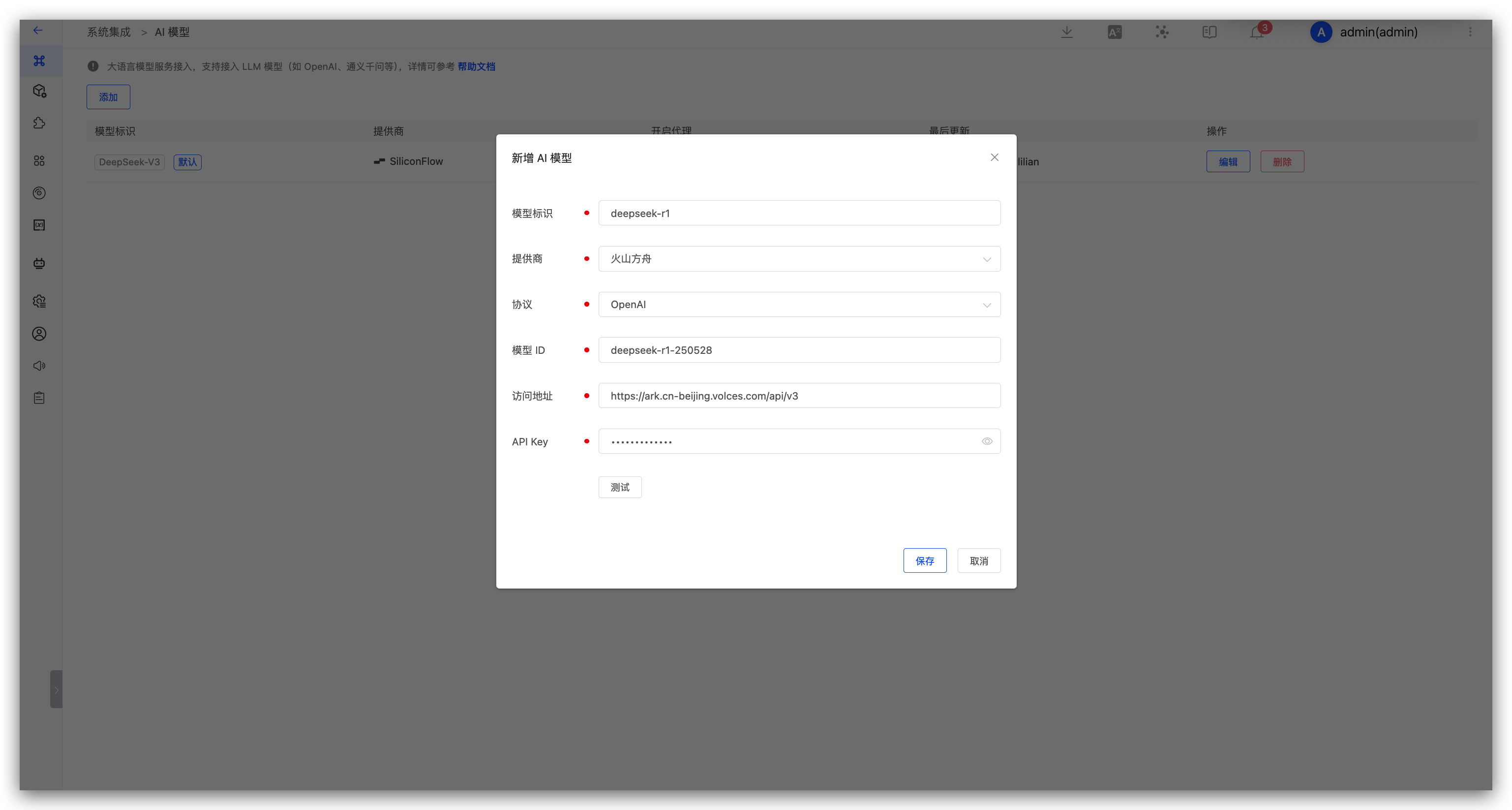
Parameter Description:
- Provider: Select Volcengine Ark
- Model ID: Enter the model ID provided by Volcengine Ark, such as
deepseek-r1-250528 - Address: https://ark.cn-beijing.volces.com/api/v3
- API Key: The API Key obtained in the previous step
# Aliyun Bailian
- Complete registration on Aliyun Bailian, generate API Key(opens new window), create a new API Key, and copy it.
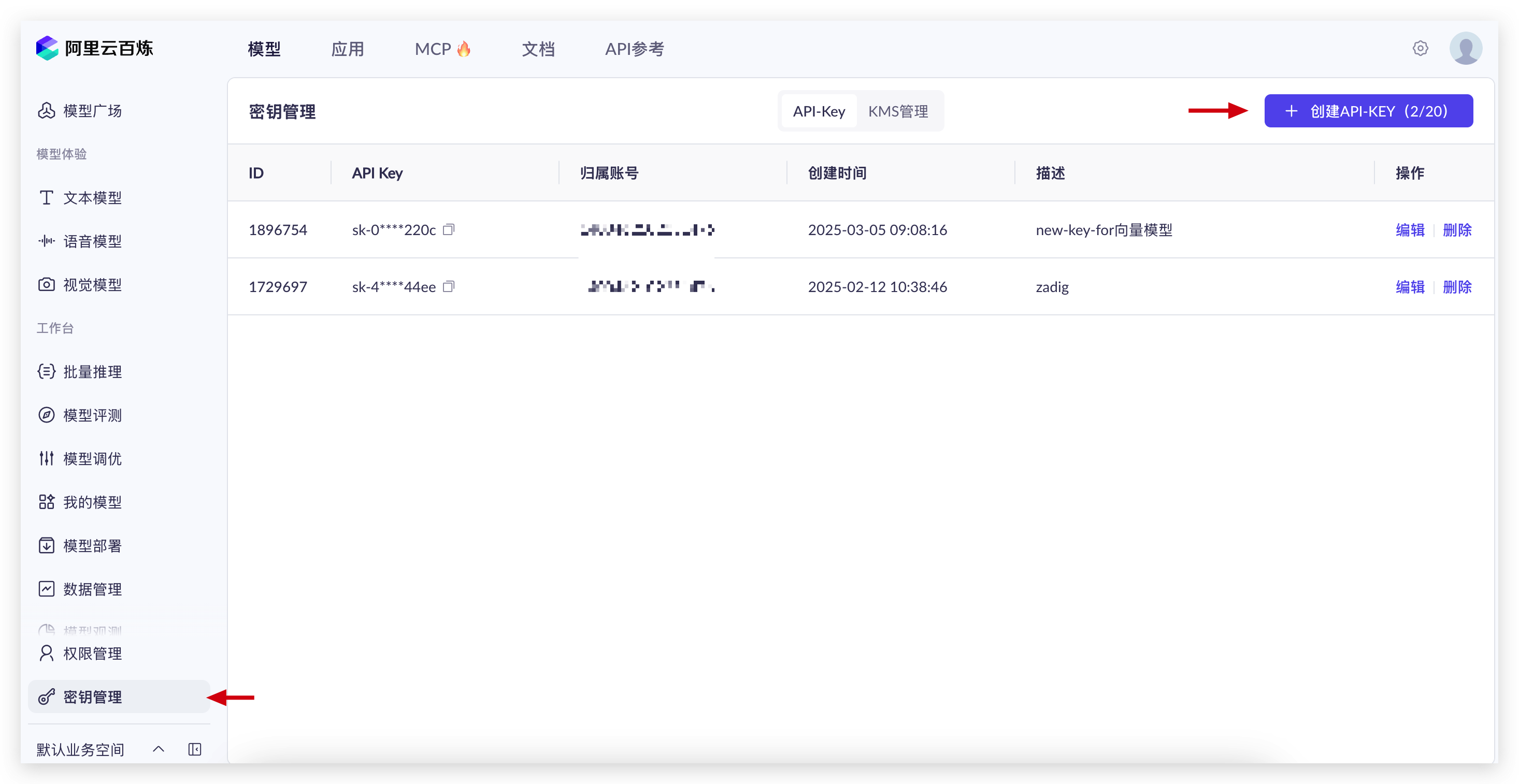
- In Zadig, go to
System Settings→Integrations→AI Models, and add the Aliyun Bailian AI model.
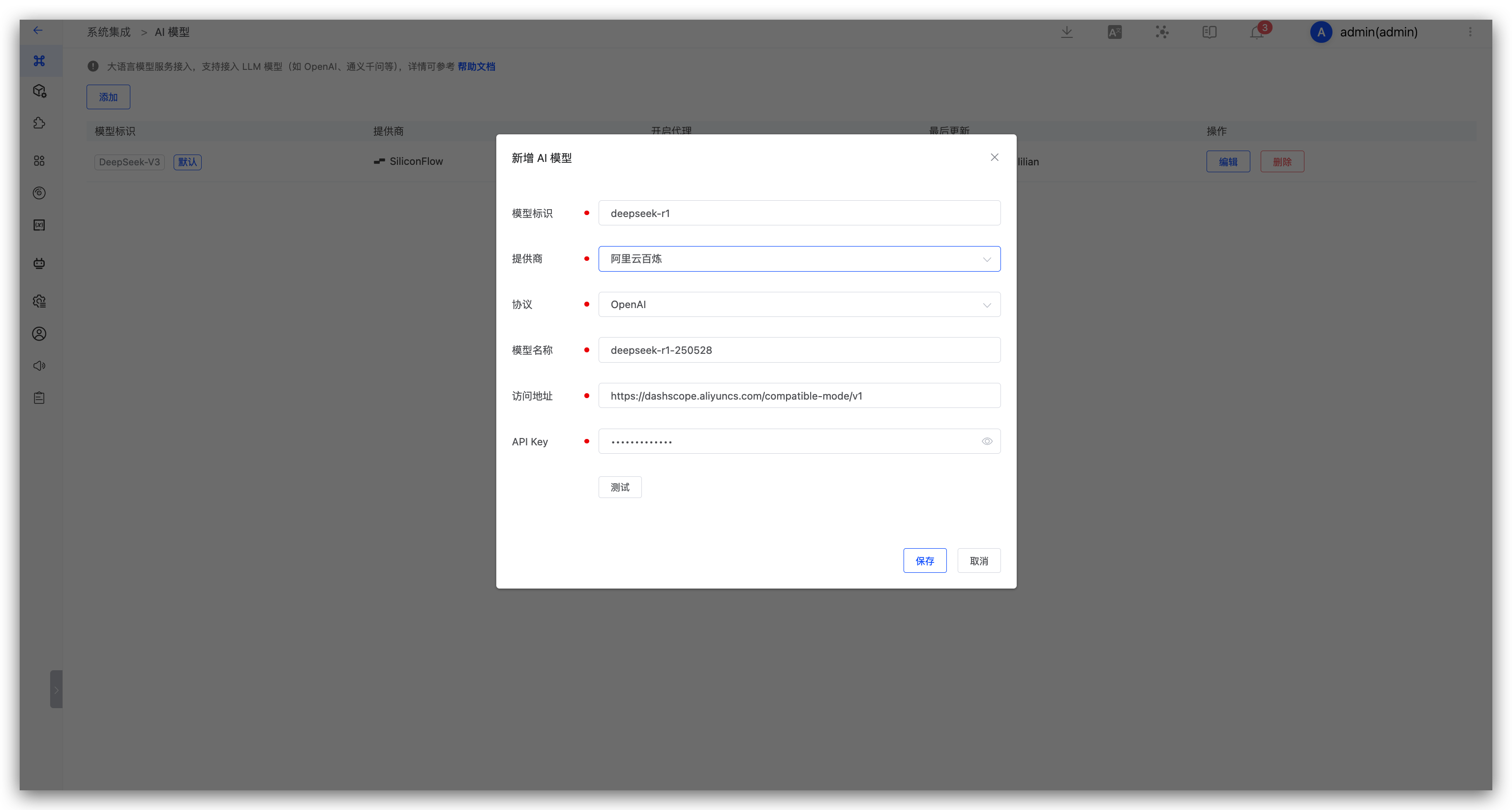
Parameter Description:
- Provider: Select Aliyun Bailian
- Model Name: Enter the model provided by Aliyun Bailian, such as
deepseek-r1-0528 - Address: https://dashscope.aliyuncs.com/compatible-mode/v1
- API Key: The API Key obtained in the previous step